

Table of Contents
Last Updated On – 02-09-2026
The best card reader for most small UK businesses is Square Reader because it combines affordable hardware, transparent fees and practical point-of-sale tools.
SumUp is particularly suitable for occasional traders, while Revolut offers competitive rates for eligible domestic cards.
Shopify is the stronger choice for businesses selling online and in person, whereas Dojo, Tyl and Worldpay may suit established businesses processing a higher volume of payments.
Prices and fees can change, so businesses should confirm the complete cost before opening an account.
Which Are the Best Card Readers for Small Businesses?
| Rank | Card Reader | Best For | Indicative Hardware Cost | Headline In-Person Fee | Monthly Commitment |
| 1 | Square Reader | Best overall | £19 plus VAT | 1.75% for UK cards | None |
| 2 | SumUp Solo Lite | Start-ups and occasional sellers | £25 excluding VAT | 1.69% | None |
| 3 | Revolut Reader | Competitive domestic-card fees | £49 | From 0.8% plus 2p | No separate reader subscription |
| 4 | PayPal Reader | PayPal-based businesses | From £29 excluding VAT | 1.75% | None |
| 5 | myPOS Go 2 | Standalone mobile payments | £39 excluding VAT | From 1.10% plus 7p | None |
| 6 | Shopify WisePad 3 | Online and physical retail | £59 | From 1.7% | Shopify plan required |
| 7 | Dojo Go Max | Hospitality and busy venues | From £149 upfront or £25 monthly | Published blended rates available | Depends on plan |
| 8 | Tyl by NatWest | Small shops and established firms | From £13.99 monthly | From 1.39% plus 5p | Terminal rental applies |
| 9 | Worldpay DX8000 | Growing, higher-volume businesses | Rental-based | From 1.50% on eligible cards | Contract generally applies |
| 10 | takepayments | Personalised packages and support | Quote-based rental | Individually quoted | Contract generally applies |
The cheapest reader is not automatically the least expensive option. Transaction volume, average sale value, card type, monthly rental, settlement time and extra fees all affect the actual cost.
1. Square Reader – Best Overall Card Reader
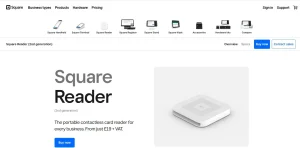
Square Reader is the strongest all-round choice for many small businesses. It has a relatively low purchase price, no compulsory monthly subscription and a straightforward fee for card-present UK payments.
The reader connects to the Square Point of Sale app on a compatible smartphone or tablet. It accepts contactless cards, chip and PIN payments, Apple Pay and Google Pay.
Its compact design works well for market traders, mobile professionals, cafés, salons and independent retailers.
Square also provides more than payment processing. Its software can record cash sales, manage products, calculate refunds, send digital receipts and generate sales reports. Optional tools are available for appointments, staff management, invoices, online ordering and customer loyalty.
Square Reader can also store eligible offline payments temporarily when an internet connection is unavailable. Conditions and time limits apply, so offline mode should be configured before it is needed.
Best for: Businesses wanting affordable hardware and a capable POS system without a long contract.
Potential drawback: International cards and manually entered payments can cost more than ordinary UK card-present transactions.
2. SumUp Solo Lite – Best for Occasional Sellers
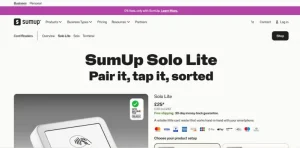
SumUp Solo Lite is a low-cost reader designed to pair with the SumUp app on a phone or tablet. It is particularly attractive to sole traders, pop-up shops, craft sellers and seasonal businesses because there is no standard monthly fee under its pay-as-you-go option.
The standard transaction charge is 1.69% for card-reader payments. Businesses with sufficient monthly turnover can consider a paid SumUp plan offering a lower rate on eligible domestic consumer cards.
SumUp accepts major debit cards, credit cards and mobile wallets. Its app includes a basic product catalogue, digital receipts, tipping options and transaction records. Businesses can also add payment links, invoices and online payment tools.
Sellers wanting a device that does not depend on a phone can move up to the standalone SumUp Solo. The more advanced SumUp Terminal adds POS functions and receipt printing for hospitality and retail environments.
Best for: New, mobile or seasonal businesses with unpredictable sales.
Potential drawback: Solo Lite relies on a compatible phone or tablet, while the cheapest plan may become less economical as turnover grows.
3. Revolut Reader – Best for Competitive Transaction Fees
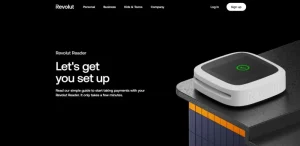
Revolut Reader offers advertised in-person card fees starting from 0.8% plus 2p. It can therefore be considerably cheaper than a flat 1.69% or 1.75% reader when a business receives a high proportion of eligible domestic consumer-card payments.
The device connects to the Revolut Business app and accepts chip and PIN, contactless cards and supported digital wallets. Money is settled into the merchant’s Revolut Business account, allowing sales and business spending to be viewed together.
The headline fee is not necessarily charged on every card. Commercial, premium and international cards can have different rates, so a business should examine its expected customer card mix before estimating savings.
A Revolut Business account is required. This may be useful for firms already managing payments, transfers and expenses through Revolut, but it adds an extra consideration for businesses using another bank.
Best for: Revolut Business customers receiving mainly eligible UK consumer-card payments.
Potential drawback: The lowest advertised rate does not apply universally, and the reader depends on the associated app and account.
4. PayPal Reader – Best for PayPal-Based Businesses
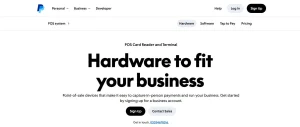
PayPal Reader, previously associated with the Zettle name, is an accessible option for small businesses already using PayPal. The reader connects by Bluetooth to a smartphone or tablet running the PayPal Point of Sale app.
It accepts major cards, contactless payments and popular mobile wallets. The standard card-present fee is 1.75%, with no normal monthly reader subscription. Eligible new business customers may be offered their first device at a discounted price.
Sales funds typically appear in the merchant’s PayPal Business account quickly. Businesses can then use the balance or arrange transfers to a bank account.
Its POS app supports product libraries, sales reporting, refunds and digital receipts. It is suitable for market stalls, independent shops, beauty professionals and small hospitality businesses.
Best for: Businesses that already receive and manage money through PayPal.
Potential drawback: Merchants wanting all income paid directly into their normal bank account may find the PayPal-centred settlement arrangement less convenient.
5. myPOS Go 2 – Best Standalone Budget Reader
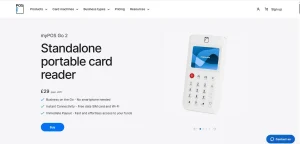
The myPOS Go 2 is a compact card machine that can work independently without being paired with a phone. It includes Wi-Fi and mobile connectivity, making it suitable for traders who move between locations or cannot depend on a customer-facing Wi-Fi network.
It accepts chip and PIN, contactless payments and digital wallets. The device is purchased outright, and there is no standard monthly hardware rental. Published rates for smaller merchants start from 1.10% plus 7p, although the exact fee can depend on the card.
A notable feature is rapid settlement into the included myPOS account. The business can access the money through its account and associated business card instead of waiting for a conventional bank payout.
The fixed 7p element deserves attention. It has a greater impact on businesses processing many low-value transactions than on those taking fewer high-value payments.
Best for: Mobile traders wanting an inexpensive standalone device with built-in connectivity.
Potential drawback: Funds are initially settled into the myPOS account, and fees can differ according to the card type.
6. Shopify WisePad 3 – Best for Omnichannel Retail
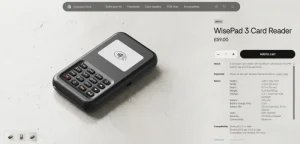
Shopify WisePad 3 is designed for businesses that already use, or plan to use, Shopify. It connects to the Shopify POS app and synchronises physical sales with online orders, stock, customers and product information.
The reader accepts contactless and chip-and-PIN payments. UK in-person rates start from approximately 1.7%, with lower rates potentially available on higher Shopify plans. The actual total cost also includes the relevant Shopify subscription.
This is not the cheapest arrangement for a business that only needs to collect occasional payments. Its advantage is integration. A retailer can sell the same product through a website, a physical shop, a social channel or a pop-up event while maintaining centralised inventory records.
Businesses comparing broader ecommerce solutions should consider the value of this integration rather than judging Shopify solely by the reader’s price.
Best for: Retailers combining ecommerce with shops, events or pop-up locations.
Potential drawback: A Shopify plan and Shopify Payments are required for the integrated experience.
7. Dojo Go Max – Best for Hospitality Businesses
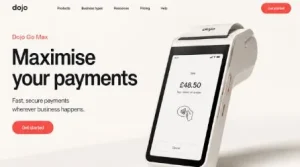
Dojo Go Max is a more advanced mobile terminal intended for businesses with regular card turnover. It includes Wi-Fi and 4G connectivity, a touchscreen and a battery designed for busy trading periods.
The terminal is well suited to restaurants, cafés, pubs and service businesses where payments must be taken around the premises. Its extensive EPOS integrations can reduce manual entry, reconciliation errors and delays at checkout.
Dojo publishes blended pricing for some turnover bands, while larger businesses may receive custom rates.
The full cost can include hardware payments, authorisation charges and other services, so a written quotation should be compared with alternatives on a like-for-like basis.
Unlike a basic app-based reader, Dojo is designed around speed, connectivity, support and integration. Those advantages may justify the additional commitment for a busy venue but may be unnecessary for an occasional market trader.
Best for: Restaurants, bars, cafés and growing businesses requiring reliable mobile connectivity.
Potential drawback: Hardware and account charges make it less suitable for very low-volume sellers.
8. Tyl by NatWest – Best Bank-Backed Option
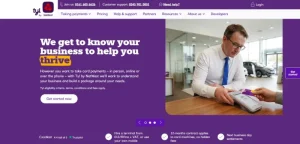
Tyl by NatWest provides countertop and portable machines for UK businesses. A company does not necessarily need to bank with NatWest to apply, although existing NatWest customers may appreciate keeping more services within one banking group.
For businesses with annual card turnover below its stated threshold, advertised pricing starts at 1.39% plus 5p for eligible UK and European personal cards. Other card types are charged at a higher rate. Monthly terminal rental varies by machine.
The PAX A920 Pro is a portable touchscreen model with Wi-Fi and 4G connectivity. It works well for restaurants, retailers, salons and other businesses that need to take payments away from a fixed till.
Tyl generally provides next-business-day settlement and access to payment reporting. Businesses should examine the minimum term, terminal rental, PCI-related costs and fees for less common card types before accepting an offer.
Best for: Small businesses wanting a recognised banking provider and a conventional card machine.
Potential drawback: The percentage fee, fixed transaction charge and terminal rental must all be included when calculating the real cost.
9. Worldpay DX8000 – Best for Growing Businesses
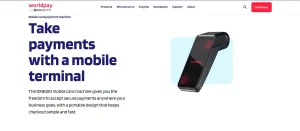
Worldpay is an established payment processor offering mobile, portable and countertop card machines. Its DX8000 mobile terminal includes Wi-Fi and 4G connectivity, allowing it to operate inside business premises or at external locations.
A simplicity tariff may offer a single percentage rate on eligible Mastercard and Visa transactions.
Custom pricing is available for businesses with greater annual card turnover. Contract and promotional rental terms can vary, so merchants should not compare the transaction percentage in isolation.
Worldpay can provide next-business-day settlement, reporting tools and replacement support. It may appeal to businesses expecting their card volume to grow and wanting access to a broader payment infrastructure.
The trade-off is commitment. A typical agreement can be longer than the pay-as-you-go arrangements offered by Square, SumUp or PayPal Reader.
Best for: Growing retailers and service businesses processing consistent card volumes.
Potential drawback: Contract terms and charges for different card schemes require careful checking.
10. takepayments – Best for Individually Quoted Packages
takepayments offers countertop, portable and mobile terminals with pricing based on the circumstances of each business.
Instead of publishing one universal fee, it considers factors such as turnover, transaction value, industry and card mix.
Its consultation-led approach can help business owners who prefer to speak with a UK-based adviser rather than configure a reader entirely online. It also offers POS systems, online payments and virtual terminals.
A bespoke quote can be beneficial when a business has enough turnover to negotiate. However, it makes quick comparisons difficult.
The quote should identify terminal rental, transaction charges, authorisation fees, PCI compliance costs, minimum monthly charges and the contract length.
Best for: Established businesses wanting personal support and a tailored payment package.
Potential drawback: The absence of one public flat rate makes it essential to obtain and compare a complete written quote.
Which Card Reader Is Best for Each Type of Business?
| Business Type | Recommended Option | Main Reason |
| New start-up | SumUp Solo Lite | Low upfront cost and no monthly charge |
| Market trader | Square Reader | Portable hardware and useful sales tools |
| Mobile tradesperson | myPOS Go 2 | Standalone Wi-Fi and mobile connectivity |
| PayPal seller | PayPal Reader | Fast access through a PayPal Business account |
| Revolut Business customer | Revolut Reader | Competitive eligible domestic-card rate |
| Online retailer | Shopify WisePad 3 | Integrated online and physical inventory |
| Café or restaurant | Dojo Go Max | Portable payments and EPOS integration |
| Independent shop | Tyl by NatWest | Conventional terminal with business support |
| Growing multi-channel firm | Worldpay | Scalable payment services |
| Business wanting a negotiated package | takepayments | Quote based on turnover and requirements |
How Much Does a Small Business Card Reader Cost?
A basic card reader usually involves an upfront hardware payment and a charge for every transaction. More advanced terminals may instead have monthly rental, minimum service fees or a contract.
For example, suppose a business processes £5,000 through 200 card transactions during one month:
| Pricing Structure | Example Calculation | Estimated Processing Cost |
| 1.75% flat fee | £5,000 × 1.75% | £87.50 |
| 1.69% flat fee | £5,000 × 1.69% | £84.50 |
| 0.8% plus 2p | £40 percentage fee + £4 fixed fees | £44.00 |
| 1.10% plus 7p | £55 percentage fee + £14 fixed fees | £69.00 |
| 1.39% plus 5p | £69.50 percentage fee + £10 fixed fees | £79.50 |
These examples exclude hardware, subscriptions, rental and any higher charges for commercial or international cards. The cheapest result would also depend on whether every payment qualified for the stated rate.
How Can a Business Compare Card Reader Fees Properly?
Businesses should calculate costs using their own transaction history rather than comparing headline percentages alone.
Three figures are particularly important: total monthly card turnover, number of transactions and average transaction value.
A percentage-only fee may suit a business with small or inconsistent sales. A percentage plus a fixed charge can become expensive when hundreds of low-value payments are processed.
Conversely, a monthly contract with lower processing rates may offer better value once turnover becomes consistent.
The comparison should include:
- Hardware purchase or rental
- UK personal debit and credit card rates
- Commercial and international card rates
- Fixed authorisation charges
- Minimum monthly charges
- PCI compliance fees
- Refund and chargeback costs
- Payout or instant-transfer charges
- Contract length and cancellation costs
Settlement destination also matters. Some providers pay directly into a nominated bank account, while others first place the money in an account or wallet operated by the provider.
Maintaining a dedicated business account can make sales, expenses and tax records easier to separate.
Should a Business Choose a Pay-As-You-Go Reader or a Contract?
A pay-as-you-go reader is usually more appropriate for a new, seasonal or low-volume business. The device is bought outright, and the business only pays transaction fees when customers make purchases. This offers flexibility but may involve a higher percentage fee.
A contract machine can be better for an established business with reliable monthly turnover. The business may receive a lower negotiated processing rate, more capable hardware, technical support and POS integration.
However, terminal rental and minimum monthly charges can continue even during a quiet month.
A useful approach is to start with a flexible reader and reassess the arrangement once several months of transaction data are available.
What Features Should a Small Business Card Reader Have?
Every modern reader should accept chip and PIN, contactless cards and common digital wallets. Beyond those basics, the most important feature depends on how the business operates.
A market trader may prioritise battery life and mobile connectivity. A restaurant may need tipping, split bills and integration with its till.
A shop may want barcode scanners, inventory management and printed receipts. A mobile service provider may prefer digital receipts, payment links and invoicing.
Offline payments can also be valuable, but they involve risk. A payment stored while the device is disconnected can later be declined.
Businesses should understand the provider’s offline-payment conditions and transaction limits before relying on the feature.
What Is the Best Card Reader for a New Small Business?
Square Reader is the best general choice for a new small business that wants both payments and useful POS tools.
SumUp Solo Lite may be better when the main priorities are low upfront cost and simple pay-as-you-go pricing.
Revolut Reader can offer lower eligible-card fees, but it is most convenient for a business prepared to use Revolut Business.
A trader who does not want to depend on a smartphone may prefer the standalone myPOS Go 2 or SumUp Solo.
The final decision should reflect where payments will be taken, how much the business expects to process and whether online sales must connect with physical stock.
Frequently Asked Questions
Can a sole trader get a card reader?
Yes. Sole traders can apply for card readers, although the provider will normally carry out identity, business and risk checks before activating payment processing.
Do card readers work without Wi-Fi?
Some readers can use a smartphone’s mobile connection, while standalone terminals may include a 4G SIM. Certain providers also support limited offline payments, subject to conditions.
Which card reader has the lowest fees?
Revolut advertises fees starting from 0.8% plus 2p, while myPOS starts from 1.10% plus 7p. The lowest actual cost depends on card type, transaction value, account requirements and additional charges.
Can a business use a personal bank account with a card reader?
Provider rules vary. Even where it is permitted, a separate business account can make bookkeeping, tax preparation and payment reconciliation easier.
Are card reader fees tax-deductible?
Payment-processing fees and card-machine costs are generally treated as business expenses when they are incurred wholly and exclusively for the business. Individual circumstances should be checked with an accountant.
Do card readers accept Apple Pay and Google Pay?
Most current UK card readers accept Apple Pay, Google Pay and other NFC-based wallets in the same way they accept contactless cards.
How quickly do card-reader payments reach a bank account?
Settlement can range from almost immediate access in a provider-operated account to several working days. Weekend settlement and instant bank transfers may depend on the provider or selected plan.
Is Square or SumUp better for a small business?
Square is generally better for businesses wanting stronger POS, reporting and business-management tools. SumUp may be better for traders prioritising a slightly lower standard transaction rate and simple payment hardware.